Overview
Follow these instructions to open Microsoft Edge in InPrivate mode.
Issue
When you use InPrivate tabs or windows, your browsing data (like your history, temporary internet files, and cookies) isn't saved on your PC once you're done.
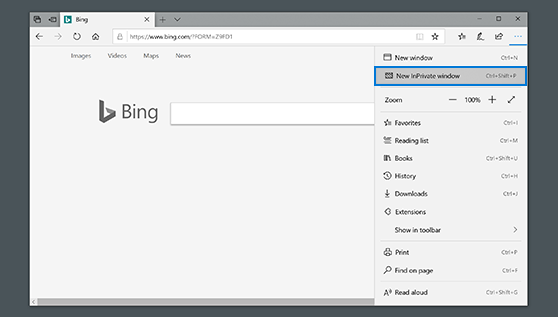
In Microsoft Edge, select the Settings and More icon, and then New InPrivate window.
Additional Information
Need additional information or assistance? Please open a ticket.